Onyx Mobile is available from the Google Play Store.
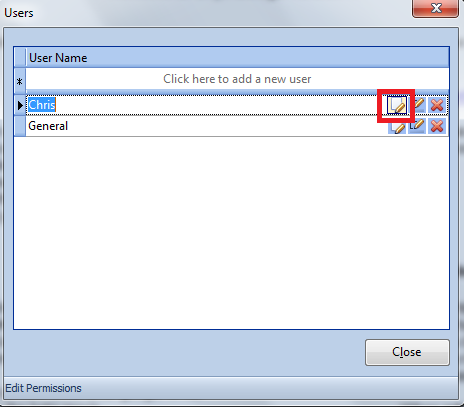
Before you can use Onyx Mobile you need to create a user login within Onyx, you do this via Maintenance -> More -> Users:
Create a new user by typing in the top field and then pressing 'Enter'. This is what you will see if you add a used called 'Chris'
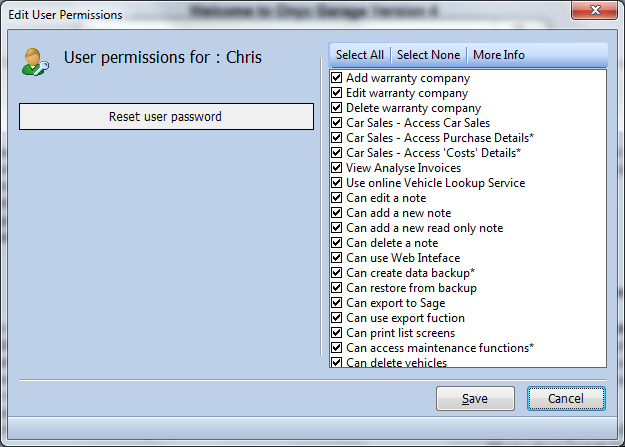
Once you've added 'Chris' you'll need to set his permissions (note, Onyx Mobile doesn't yet fully observe all user permissions so only allow trusted staff to use Onyx Mobile). Press the highlighted button and you'll see:
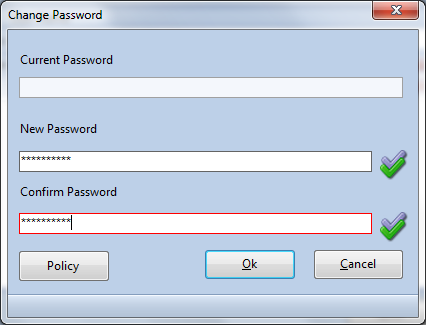
Select the permissions that you want to grant to Chris (or press Select All), and then press 'Save' when you will be asked to create a password for Chris:
You've now created the login details.
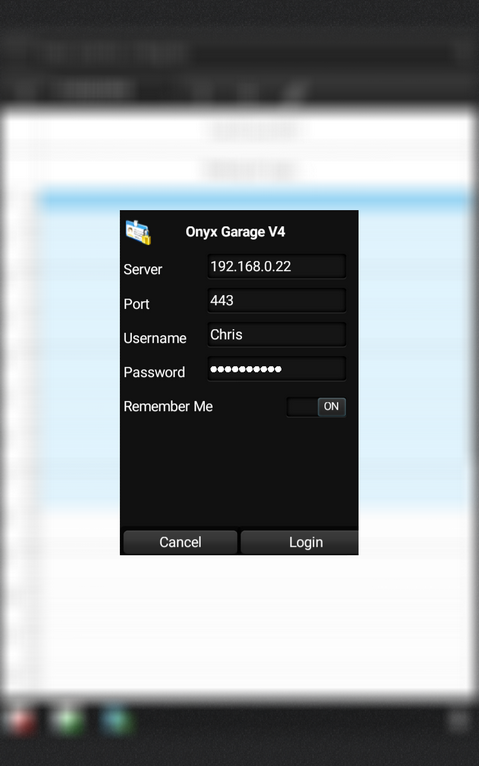
When you start Onyx Mobile you will see the following screen
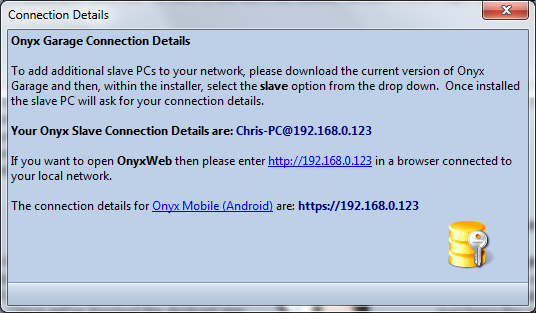
You can find the Server Address from within Onyx by going to Maintenance -> More -> View Slave Connection Details:
On this occasion the server address is 192.168.0.123 (please note, unless you set a static IP from the master pc then this address will likely change with each reboot).
Enter the details into Onyx Mobile and then press login.
|